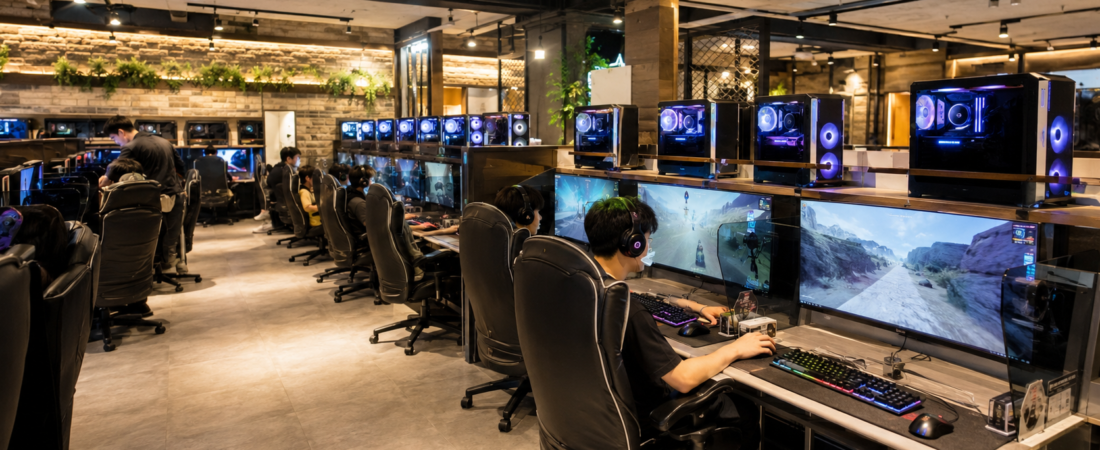
A PC bang is a public computer venue built mainly for gaming. You pay to use a computer for a period of time, and many venues also offer food, drinks, and other conveniences.
For a first-time visitor, the most important distinction is simple: being able to use a PC does not guarantee that every game or account will work.
The venue controls access to the seat, payment, and local facilities. The game publisher controls its own account, region, login, and verification requirements.
Start with the venue, not the game
Before sitting down, check how that PC bang handles access.
Depending on the venue, you may check in at a counter, use a kiosk or terminal, log in as a member, or use a guest or non-member option.
Membership is not required everywhere. Some venues publish separate member and non-member rates.
A Korean phone number is also not a nationwide requirement for simply entering or using a PC bang. For a broader explanation of when a Korean number may matter for different services, see Do You Need a Korean Phone Number in Korea?
If a phone-number prompt appears, first identify whether it belongs to:
- the PC-bang membership system
- the game or publisher account
- another verification service
Those are separate layers.
A working PC does not mean every game account will work
A PC bang may give you access to the computer while a specific game still requires its own account, region, login, or verification conditions.
So if one game does not let you sign in, that does not automatically mean the PC bang itself is unusable.
Check the game’s official support or account requirements rather than assuming every installed game is immediately available to every visitor.
Do not try to work around identity or verification requirements.
Payment and seat systems vary by venue
There is no single nationwide PC-bang payment flow.
A venue may use:
- counter payment
- a kiosk or terminal
- prepaid time
- time packages
- member login
- guest or non-member access
Exact prices and accepted payment methods vary, so they are better checked at the venue than treated as fixed national rules.
If a payment attempt fails, ask staff which methods that branch accepts before repeating the same transaction.
Food is common, but the ordering method is not
Food, snacks, and drinks are a common part of many PC-bang experiences.
But there is no one national ordering system.
Depending on the venue, you may order:
- from the computer
- at a counter
- through a kiosk
- through another local system
Follow the venue’s own instructions.
The useful point is that food may be available—not that every PC bang uses seat ordering or offers the same menu.
Do not assume every PC bang is open 24 hours
Some PC bangs operate 24 hours, but others do not.
Official visitor information includes both 24-hour venues and limited-hour gaming venues, so branch hours need to be checked individually.
For younger visitors, legal access times also matter. Under the current rule, youth access to internet-computer-game facilities is generally limited to 09:00-22:00.
PC bangs are not smoking floors
The main PC-bang facility is a non-smoking area under current law.
A separately designated smoking room may exist, but that is different from smoking being allowed throughout the gaming space.
So an older image of PC bangs as automatically smoky gaming rooms is not a reliable modern rule.
Before you leave, sign out of your accounts
A PC bang is still a shared computer environment.
Before leaving, sign out of:
- game launchers
- publisher accounts
- browsers
- email or other personal services you opened
If a login problem, phone-verification prompt, or payment issue appears, first identify whether it belongs to venue access, payment, or the game account.